SEO Services for WordPress Websites: Best Optimization Practices
WordPress has a reputation for being SEO-friendly, and that reputation is only half true. The platform gives site owners a strong starting point, but a well-ranked WordPress site is usually the result of deliberate technical work, disciplined publishing, and a steady stream of small corrections that compound over time. I have seen businesses launch polished WordPress websites, install a popular plugin, submit a sitemap, and assume the rest will take care of itself. A few months later, traffic is flat, core pages are barely indexed, and the blog is attracting visits for terms that never turn into leads.
That gap between expectation and performance is where good SEO Services earn their keep. WordPress makes publishing easy. It does not make prioritization easy. It does not decide which taxonomies deserve indexation, how to handle duplicate author archives, whether your page builder is bloating the DOM, or why your category pages are outranking your money pages for the wrong terms. Those are practical decisions, and they shape whether search traffic becomes a growth channel or just a vanity metric.
The best optimization practices for WordPress are rarely glamorous. They live in crawl paths, internal links, title rewrites, image handling, content pruning, and templates that support search intent rather than fight it. If you manage a WordPress website, whether it is a service business site, a publisher, a WooCommerce store, or a lead generation asset, the fundamentals below matter more than any trend.
Start with the architecture, not the plugin
The biggest SEO mistake on WordPress sites usually appears long before anyone touches metadata. It starts with weak site structure. Pages are created ad hoc, categories are added casually, tags multiply without governance, and soon the website contains several overlapping paths to similar information. Search engines can crawl it, but they struggle to understand what should rank for what.
A healthy WordPress site needs a clear content hierarchy. Core commercial pages should sit close to the homepage. Supporting pages should reinforce those primary themes. Blog content should answer adjacent questions, build topical depth, and link back to the pages that matter commercially. That sounds obvious, but in practice many WordPress installs become content closets. Everything exists, very little is organized, and internal authority is scattered.
I worked on a WordPress site for a regional legal practice that had more than 300 published URLs, yet only SEO Services 18 pages were strategically important. The rest were tag archives, old announcements, duplicate attorney bios, pagination pages, and thin city pages generated during an overenthusiastic expansion phase. Rankings improved not because we published dozens of new articles, but because we simplified the architecture, consolidated overlapping pages, and made the service pages the strongest destinations in the site. Traffic rose modestly at first, but qualified contact form submissions nearly doubled in under six months because the right pages gained visibility.
When SEO Services are delivered well, the first question is often not, “Which keywords should we add?” It is, “Which URLs deserve to exist, which should be merged, and which should stay out of the index?”
WordPress settings that deserve immediate attention
Some of the most damaging problems on WordPress are basic settings issues. They are also easy to miss, especially after redesigns, staging migrations, or plugin changes. Before deeper optimization begins, a proper review should check a few high-impact areas:
- Search engine visibility settings, especially whether indexing was accidentally discouraged during development.
- Permalink structure, with a preference for clean, stable URLs rather than dated or parameter-heavy formats.
- Canonical behavior across posts, pages, archives, and filtered URLs.
- Indexation rules for categories, tags, author archives, media attachment pages, and pagination.
- XML sitemap quality, including whether it reflects only the URLs worth crawling and indexing.
None of these tasks are advanced, yet they often explain why strong content underperforms. I have seen staging directives left active on live sites. I have seen attachment pages indexed by the thousands because nobody disabled them. I have seen tag pages outrank product categories simply SEO Services because internal links favored them. WordPress is flexible, and flexibility without governance produces waste.
Themes, page builders, and the hidden cost of convenience
The theme and builder stack on a WordPress site affects SEO more than many teams realize. Site owners often choose based on visual appeal, editing comfort, or speed of launch. Those are valid priorities, but every layer added to the front end can create performance debt. Bloated themes, slider-heavy homepages, excessive animation, and deeply nested builder elements can all slow rendering and make it harder for search engines to interpret content efficiently.
This does not mean every site needs a custom theme. Many do very well on reputable commercial themes or modern block-based setups. The issue is not the existence of a builder. The issue is whether the output is lean, consistent, and maintainable. If a page visually looks simple but loads huge CSS bundles, several font files, and JavaScript that delays interactivity, rankings may suffer indirectly through weak performance and poor user behavior.
The trade-off here is real. Editors often love the freedom builders provide. Developers usually prefer restraint. The best compromise is to standardize templates for common page types, keep design systems tight, and avoid one-off widgets for every section. When every page is built from scratch, SEO implementation becomes fragile. Heading hierarchies break. Schema gets inconsistent. Important text ends up trapped in tabs, accordions, or design blocks that are harder to prioritize.
A WordPress website does not need to be minimalist to rank well. It does need to be coherent.
Technical SEO on WordPress is mostly about reducing noise
Technical SEO for WordPress is rarely about obscure tricks. It is about removing the forms of noise that WordPress naturally creates. Archives, parameters, feed URLs, search result pages, attachments, pagination, and plugin-generated URLs can bloat crawl demand if left unmanaged. Most of these pages are not harmful in isolation. The problem comes when they accumulate faster than value.
A clean technical setup asks practical questions. Should tag archives be indexed? Sometimes yes, if editorial governance is strong and tags represent meaningful topic hubs. More often, no, because they become thin, overlapping archives with little standalone value. Should author archives be indexed? On a multi-author publisher, maybe. On a five-page local business site, almost certainly not. Should media attachment pages be allowed to exist as indexable URLs? Usually no. They add little and distract crawlers from more important destinations.
WordPress also requires discipline with redirects and migrations. URL changes often happen casually during redesigns, content updates, or slug edits. A team member modifies a title, the slug changes, and nobody maps the old URL. Traffic drops quietly because the site did not break visibly. Good SEO Services include redirect governance, particularly on mature sites with historical backlinks, old campaign URLs, or blog content that has accrued external references over time.
Metadata still matters, but not in the old mechanical way
Titles and meta descriptions are not the whole game, but they remain one of the fastest ways to improve relevance and click-through behavior. On WordPress, the danger is automation without oversight. Plugins can generate titles at scale, and sometimes they do an acceptable job. Often they create repetitive, awkward patterns that dilute page uniqueness.
A service page title should identify the offering and the modifier that matters most, such as location, specialty, or audience. A category page title should reinforce the cluster theme without sounding templated. Blog titles should match search intent rather than chase exact-match phrasing at the expense of readability. The same principle applies to descriptions. They should support clicks, not just fill a field.
There is also a timing issue. Metadata changes are most effective when paired with stronger on-page signals, not treated as cosmetic edits. If a page targets “emergency plumbing services” but the body copy barely mentions urgency, response times, service areas, or common emergencies, a polished title can only do so much. The page has to earn its positioning.
One useful habit is to review metadata after indexing patterns stabilize. When a WordPress site matures, you can compare intended titles with the versions Google rewrites in search results. Rewrites often reveal where titles are too vague, too long, too repetitive, or disconnected from visible page content.
Content optimization on WordPress means serving intent, not publishing volume
Many businesses use WordPress because it makes content production simple. That convenience can become a liability when publishing turns into a numbers game. A site with 500 thin posts is not stronger than a site with 80 well-targeted, well-maintained pages. In fact, the opposite is often true.
The best-performing WordPress content strategies tend to have three qualities. First, each page has a clear job. Second, related pages strengthen each other rather than compete. Third, old content is reviewed and improved instead of ignored once published. This is where seasoned SEO Services often outperform generic content packages. They do not just add words. They decide where depth actually creates value.
A common example is the service-area strategy for local businesses. WordPress makes it easy to spin up dozens of location pages from a template. Sometimes that works when each page contains substantial, location-specific information and the business truly serves those areas. More often, the pages are near duplicates with city names swapped. That can create internal competition, weak engagement, and index bloat. A better approach may be to build a stronger regional hub page, support it with locally relevant proof, and expand selectively where demand and business operations justify it.
For editorial sites, the issue is usually cannibalization. Several posts target adjacent variants of the same query because different writers covered the topic at different times. One article discusses setup, another explains basics, a third compares tools, and none becomes the clear authority. Consolidation often wins here. A single robust asset tends to outperform three partial ones, especially when internal links and backlinks are split across versions.
Internal linking is where WordPress sites quietly win or lose
Internal links are one of the most underused levers on WordPress websites. Because publishing is easy, content often accumulates faster than editorial linking discipline. Important pages end up buried, while random older posts continue collecting contextual links simply because they have existed longer.
A good internal linking structure reflects business priorities. Service pages should receive support from relevant blog content. High-converting category pages should be linked from navigation, body copy, and related content modules where appropriate. Evergreen guides should act as hubs, not dead ends. Even simple changes here can produce noticeable gains.
I once reviewed a B2B WordPress site where the highest-authority blog post, judging from backlinks and traffic, barely linked to any commercial pages. It sent users to other informational articles, a webinar signup, and an external study, but not to the core service page most aligned with the visitor’s likely next step. After adding better contextual paths and revising related content blocks, the site saw a measurable lift in assisted conversions without any major ranking change. Search traffic was already there. The internal journey was the weak point.
WordPress can support this well if the editorial team treats links as part of page design, not an afterthought. The aim is not to cram exact-match anchors everywhere. It is to create intuitive paths that help both crawlers and people move from broad questions to specific solutions.
Performance work matters because WordPress can get heavy fast
Page speed discussions often become abstract, but on WordPress the causes are usually concrete. Oversized images, lazy plugin choices, render-blocking assets, too many external scripts, and cheap hosting are common culprits. Performance affects crawling efficiency, user satisfaction, and in competitive niches, rankings at the margins.
Not every millisecond has equal business value. A site does not need a perfect performance score to rank. Yet there is a threshold beyond which the experience becomes visibly clumsy, especially on mobile. When pages jump around during load, forms take too long to become usable, or product galleries lag, users leave before they engage with the content you worked hard to rank.
The strongest performance improvements on WordPress usually come from sensible prioritization rather than obsessive tweaking:
- Choose reliable hosting with enough resources for your traffic and plugin load.
- Compress and properly size images, preferably with modern formats where practical.
- Remove plugins that duplicate functionality or add front-end bloat.
- Cache aggressively, while testing dynamic pages like carts, logins, and account areas.
- Limit third-party scripts to those that support real business needs.
There are trade-offs here too. Marketing teams often want chat tools, heatmaps, A/B testing scripts, review widgets, and several ad platform tags all at once. Each may be defensible on its own. Together, they can become the reason a WordPress site feels sluggish. SEO recommendations are stronger when they acknowledge that reality instead of pretending every script can simply disappear.
Plugins help, but too many create instability
WordPress plugins are both a strength and a recurring source of SEO trouble. A solid SEO plugin can simplify sitemaps, metadata, schema basics, redirects, and robots rules. Caching plugins can help performance. Image optimization plugins can save hours of manual work. The issue is not plugins themselves. It is plugin sprawl.
Sites with large plugin stacks tend to suffer from overlapping functionality, unpredictable conflicts, and inconsistent output after updates. I have seen schema plugins conflict with theme schema, redirect plugins override server rules, and SEO plugins generate archive behaviors the team never intended. This becomes especially risky on sites maintained by several vendors over time, each adding tools without removing old ones.
The best practice is simple: use the fewest plugins necessary to support stable functionality, and review them regularly. If a plugin exists for one minor feature that can be handled more cleanly elsewhere, think twice. SEO Services often create the most value not by adding another tool, but by simplifying the stack so the website behaves predictably.
WooCommerce needs its own SEO discipline
If the WordPress website runs on WooCommerce, the SEO picture becomes more complex. Product archives, filters, variation URLs, faceted navigation, out-of-stock items, and duplicate descriptive content can all create serious indexation and crawl challenges. WooCommerce can rank very well, but it needs tighter controls than a brochure site.
Category architecture becomes critical. Product categories should map to real search demand and buyer logic, not just back-end inventory convenience. Faceted filters should help users refine products without generating indexable chaos. Product descriptions should move beyond manufacturer copy wherever possible. Structured data should be accurate, especially around price, availability, and reviews.
There is also a commercial judgment involved. Not every product page deserves aggressive SEO investment. In many stores, category pages and key collections drive more strategic value than long-tail individual products, especially when inventory changes often. A mature WooCommerce SEO plan distinguishes between pages built to rank broadly and pages built to convert once users are on-site.
Local, national, and content-led sites need different tactics
One reason generic SEO advice disappoints WordPress site owners is that business models differ. A local dentist, a national SaaS company, and a content publisher may all use WordPress, but their best optimization path is not the same.
A local business should care deeply about service pages, location relevance, review signals, map visibility, and conversion elements such as calls, forms, and trust indicators. A national lead generation site may need stronger topical clustering, digital PR support, and more rigorous landing page testing. A publisher often wins through archive quality, editorial taxonomy, freshness strategy, and ad-performance balance.
This is why credible SEO Services begin with diagnosis rather than a fixed deliverables sheet. If every client is promised the same plugin setup, the same number of blog posts, and the same monthly reports, the provider is probably optimizing a process, not a website.
Measurement should focus on business outcomes, not just rank trackers
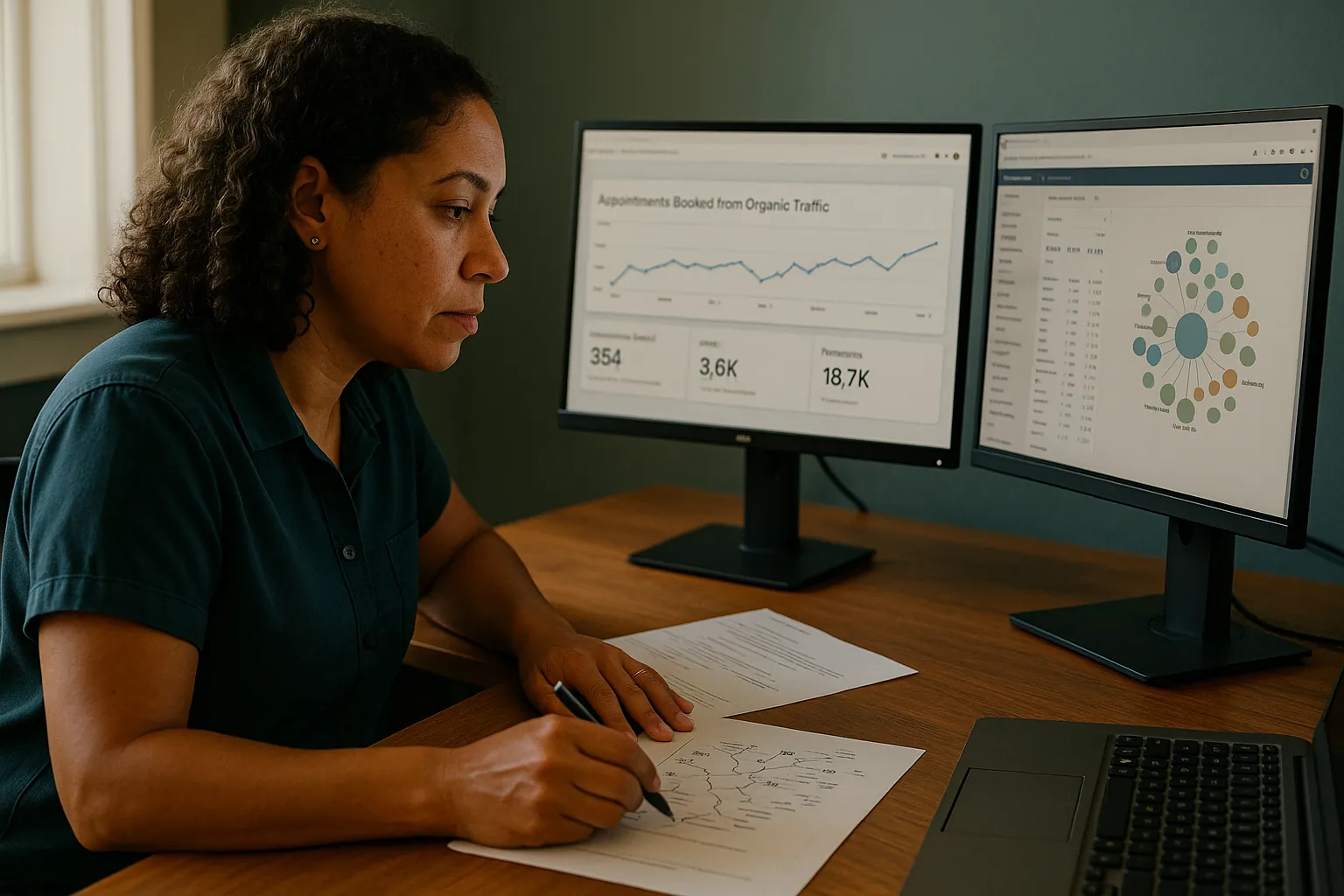
WordPress site owners often look first at rankings and organic sessions. Those metrics matter, but they can be misleading when isolated. A site can gain traffic and lose revenue if the wrong pages rank. It can hold stable rankings while improving significantly in lead quality because internal paths are stronger. It can even lose low-value traffic while becoming more profitable.
A practical reporting model for WordPress SEO watches indexation health, organic landing page performance, conversions by page type, engagement on key templates, and technical change logs. When traffic shifts, you want context. Was a cluster consolidated? Did a migration occur? Did Core Web Vitals improve? Was a plugin update responsible for schema loss? Rankings alone rarely answer those questions.
One of the most useful habits is to review pages by role. Which pages attract discovery traffic? Which pages convert branded demand? Which pages assist conversions through education? Which pages should be pruned because they no longer support the business? WordPress makes content accumulation easy. Measurement helps prevent that accumulation from becoming clutter.
What effective SEO Services for WordPress actually look like
When WordPress SEO is done well, the work usually looks calm from the outside. There are no miracle moments. Instead, there is a sequence of practical improvements: fewer low-value URLs, better template behavior, stronger page targeting, cleaner internal links, faster load times, and a content library that reflects business priorities. Over time, the site becomes easier for search engines to crawl, easier for users to navigate, and easier for the business to manage.
That is the real value of SEO Services for WordPress websites. Not plugin installation alone, not generic keyword insertion, and not publishing for the sake of activity. The goal is to make the website structurally sound, commercially focused, and technically clean enough that good content can perform as it should.
WordPress remains one of the best ecosystems for organic growth because it is flexible, mature, and easy to extend. But flexibility rewards discipline. The sites that win are usually not the ones doing the most. They are the ones making clearer decisions about what deserves visibility, what supports that visibility, and what should be removed from the way.
Magister Digital AI
1135 Garnet Ave #13, San Diego, CA 92109
+16193300953
FAQ About SEO Services
What do SEO services include?
SEO services can include technical site reviews, keyword and search-intent research, content improvement, internal linking, local optimization, structured data, and performance reporting. The exact scope should reflect the business, market, and goals.
How long does SEO take to show results?
Timing varies with the website's current condition, competition, and scope. Technical improvements may show movement sooner, while competitive content and authority work often require several months of consistent effort.
Do SEO services include local SEO?
They can. Local SEO commonly covers Google Business Profile optimization, accurate business citations, local schema, reviews, and service-area or location content when those elements are relevant.
How should SEO performance be measured?
Useful measures include qualified organic traffic, calls, form submissions, booked appointments, revenue influence, and visibility for searches that matter to the business. Rankings alone do not show the full outcome.